


If you’ve ever stood on a manufacturing floor watching one machine run perfectly while the rest of the line is choking, starving or throwing alarms, then you already understand system integration better than most people who use the phrase.
“System integration” is the difference between a group of machines that happen to sit next to each other, and a production line that runs as one coordinated system.
At Envision Automation in Niles, Michigan, we get called when a line needs to run better, faster, safer or more reliably. So let’s break down what system integration actually looks like in the field, what tends to go wrong, and how the right approach connects multiple machines into one production line without turning a “planned swap” into a two-week disaster.
System integration isn’t always ‘build us a brand-new line’
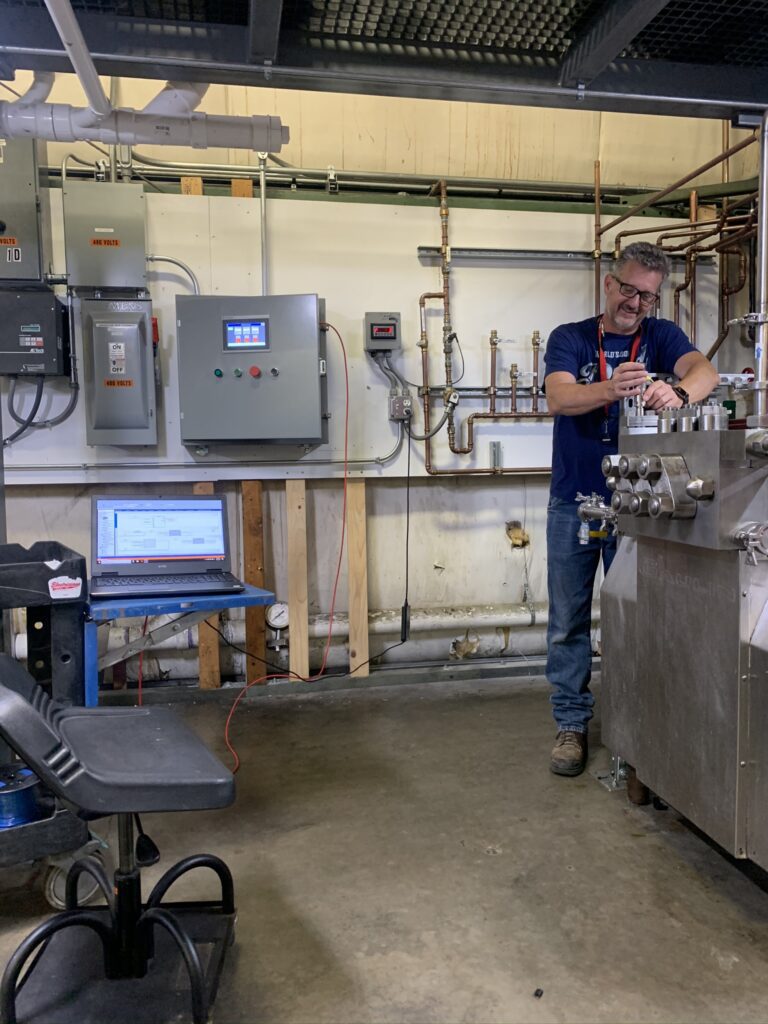
A lot of people imagine system integration as a giant greenfield project: new conveyors, new stations, new robotics, new everything.
That happens sometimes. But most of the time? Integration is surgical.
What it usually looks like
In many manufacturing and packaging environments, you’re dealing with a line made up of 20–25 machines (sometimes more). System integration is often:
- Removing or replacing one machine (or one section) within that line
- Rebuilding communications, controls and interlocks so everything runs together again
- Updating speeds, permissives, safety logic and sequences so the whole system behaves
The goal is to make the line act like a line again.
What ‘connected’ really means
A properly integrated line should give you real, practical control.
1. Start/stop the whole line from one point
Instead of walking a mile of equipment to find the one station that’s holding everything up, system integration should make it possible to:
- Start the line in the right sequence
- Stop the line safely and predictably
- Know why the line won’t start (and what it’s waiting on)
2. Synchronize speeds so you don’t create “traffic jams”
One of the fastest ways to kill efficiency is letting machines run at different “personalities”:
- Upstream machine pushes too fast -> downstream chokes
- Downstream runs too fast -> upstream starves
- Buffer fills -> alarms -> stop/start chaos -> scrap risk climbs
Integration is how you synchronize speeds in a controlled way so the line flows instead of surges.
3. Enable controlled stops (stop one machine vs. stop all)
Not every hiccup should stop the entire line.
Depending on the process, good integration can allow:
- Stopping one station while upstream/downstream hold safely
- Bypassing a non-critical function temporarily
- Isolating faults so the whole line doesn’t go down for one sensor
That’s the difference between a small interruption and a full-line event.
‘Keep-running’ strategies when downtime hits
Sometimes you’re down, you’ve got orders due, and the question is, “How do we keep product moving while we fix the real issue?”
This is where experience matters, because there are legitimate “band-aid” strategies that can buy you time if they’re done intentionally and verified.
Examples of temporary strategies we’ve help implement during downtime include:
- Running product through a station with tooling removed just to keep flow moving
- Bypassing non-working filler heads (example: disabling heads 6 & 7 on a 32-head filler)
- Using creative controls logic to compensate for calibration drift (with appropriate verification so you’re not just making bad parts faster)
The best integration projects are won before anyone touches a wire
When Envision engineers aim to minimize downtime during a planned swap, the best move is simple:
Do as much prep ahead of time as possible, then crash the install window.
That means:
- Programming and controls strategy built in advance
- Electrical planning done before our customer’s shutdown
- Mechanical fit-up thought through before equipment arrives
- A clean, coordinated cutover plan (sequence, checks, validation steps)
When prep is done right, our install window becomes an execution sprint.
A cautionary tale: how ‘rushed’ turns into two weeks of downtime
Here’s a real-world lesson Envision Automation owner and systems integrator Dave Strickland has shared from earlier work in the industry.
A team had a planned equipment move. Instead of disconnecting and documenting properly, they cut conduits and ended up with hundreds of same-color wires and no reliable way to trace them back.
What should’ve been roughly a $24,000 job became an $80,000+ problem, and downtime stretched into around two weeks.
The takeaway
Rushed, uncoordinated work creates compounding downtime and cost:
- More hours troubleshooting
- More risk of miswires
- More guesswork
- More stops, restarts and finger-pointing
- More production loss
Good integration is disciplined. It’s boring in the best way. And it saves you from the kind of mess that haunts a plant manager’s dreams.
Proprietary PLC code: one of the biggest integration hurdles nobody warns you about
If you’ve ever heard the words “we can’t give you access to that,” you know exactly where this is going.
The problem
Proprietary PLC code can block efficient integration. It can turn a simple improvement into a long workaround.
An Envision real-world example: a machine vendor refused access—what should have been a 10-minute speed change became a week-long workaround.
How Envision approaches it
Depending on the situation, we may:
- Use vendor relationships to get access points added (without full code access)
- If that fails, “go digital” and intercept signals externally
- Or rework controls in a harder, longer way to achieve the needed outcome
Is it ideal? No.
Is it solvable? Often, yes, but it’s better to know about this early than discover it mid-install.
Integration is done when it’s qualified and handed off
Making something run is one step. Making it run at production intent with confidence is the real finish line.
Pre-Qualification (PQ): what Envision often does
Envision often runs a Pre-Qualification (PQ) either in-house or on your site depending on the system.
Sample sizes vary by customer and risk profile: For some customers, one part plus video is enough. For others, Envision may produce 50, 100 or 300 parts inspected before delivery
On-site validation: how long does it take?
Validation can be:
- A half-day for simpler systems
- A week or more for complex lines
- In highly regulated or critical environments (example contexts include aerosol/hazardous chemical-type requirements), qualification support can stretch to around a month
What ‘handoff success’ looks like
- Customer sign-off
- Machine running on the customer floor at production intent
- Documentation as appropriate: electrical schematics, programs, and touchscreen-based documentation
And here’s a point we care about: manuals are rare because the goal is to build intuitive, operator-friendly systems where the HMI/touchscreen provides what operators need:
- Clear messages
- Faults with meaning
- Pass/fail indicators
- Low material alerts
- What the machine is waiting for
When the system explains itself, your team doesn’t have to guess.
What you can bring to make integration smoother (and cheaper)
If you want the project to go faster, reduce surprises and keep it aligned with reality, here’s what Dave wants you to have ready.
1. 3D models of parts (major help)
If we can model accurately, we can design accurately. This speeds up everything.
2. Your target rate
Tell us the goal in real terms:
- Parts per hour
- Output per shift
- Takt time targets
- Peak vs. normal demand
3. A budget range
This prevents “Rolls Royce expectations on a Pinto budget.”
No judgment—just reality. A budget range lets us recommend solutions that fit, instead of proposing something you’ll never approve.
4. Current-state process details
- How many people do it today
- Manual cycle time/how long it takes now
- Scrap/reject rate
- Required precision and repeatability
This matters because some parts/processes that aren’t repeatable can make automation difficult—or sometimes impossible — without first addressing upstream variation.
Ready to connect your line? Let’s talk.
If you’re replacing one machine, upgrading a station, adding robotics or trying to get a multi-machine line to run like one system, we’ll help you evaluate the real constraint and map the cleanest path forward.
Bring what you’ve got: part models, target rates, current cycle time, scrap rate and a budget range, and we’ll do the rest.